

Bug Filter - Bug on Face Prank

Installs
Hades Bit
Developer
-
Entertainment
Category
-
Everyone
Content Rating
-
bbam9427@gmail.com
Developer Email
-
https://sites.google.com/ahvmodnix.com/bugfilter-policy
Privacy Policy
Screenshots


editor reviews
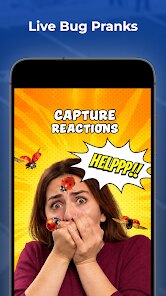
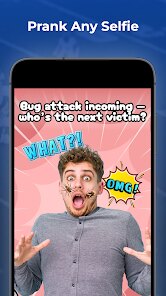
Bug Filter - Bug on Face Prank is exactly what it sounds like: a novelty camera app from Hades Bit that digitally places realistic-looking bugs onto your face in photos and videos. It's not trying to be a serious editing tool or a social media platform. Instead, it belongs to that small but persistent category of prank and joke apps. People download it for laughs, mostly to mess with friends or to create convincing fake bug-on-face content for TikTok, Instagram, or just to send in a group chat. When you first open it after installing from Google Play or the App Store, the main screen is straightforward: a live camera feed with a few bug icons at the bottom. It looks cheap and clunky, but that honestly fits the purpose. My first impression was that it's not trying to hide what it is, which I appreciated.
The actual hands-on experience is simple, maybe too simple. After launching the app and granting camera permissions, you're dropped directly into the viewfinder. There's no tutorial or onboarding walkthrough, which is fine because there's almost nothing to learn. You tap a bug type, like a cockroach or a spider, and it appears on your face tracked by the camera. You can pinch to resize it or drag it to a different spot. The tracking itself is the make-or-break point. In good lighting, it sticks to your face fairly well, especially if you stay still. But the moment you turn your head quickly or move into a darker room, the bug starts sliding off or flickering. For a prank app, the best moment is capturing a friend's reaction when they see the screen, and the app does let you save photos or record short videos with the bug overlay. A practical tip is to hold your phone steady; shaky footage makes the tracking glitch badly.
After a few days of playing around, I have mixed feelings. If you're the type of person who loves pulling harmless, silly pranks or making goofy content with close friends, this app is a fun toy to have installed. It gets the job done for a quick laugh. But if you're expecting polished face tracking like you get in Snapchat or Instagram's native filters, you'll be disappointed. The tracking is noticeably worse, and the bug designs, while decent, are not photorealistic enough to fool anyone looking closely. Compared to something like Snapchat's face lenses, this feels like a very niche, low-budget alternative. I can see someone keeping it installed for a party or a specific joke, but most people will probably uninstall it after showing a few friends. It's a one-trick pony, but for that one trick, it works well enough.
features
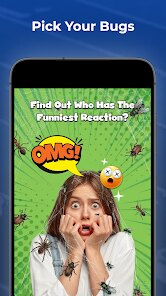
- 🐛 The headlining feature is real-time face tracking that places bugs on your face. You choose from options like spiders, roaches, or ants. Compared to Snapchat's AR lenses, the tracking here is less refined. Snapchat's lenses stick firmly even with rapid head movement. Bug Filter's tracking wobbles when you turn or shift lighting. Still, for a prank app, the effect looks convincing enough in still photos or slow motion.
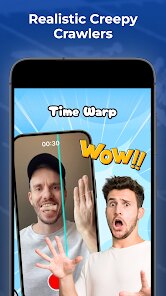
- 🐛 You can record video with the bug overlay. This is where the prank shines. You can film yourself reacting to a fake bug or send a video to a friend. Unlike Instagram's face filters, this app lets you save the video directly to your camera roll without watermarks or story limits. That makes sharing in private chats much smoother.
- 🐛 The app has a simple pinch-to-resize and drag-to-move control. It is not as fluid as Apple's Memoji or Snapchat's editing tools, but it works. You can place the bug on your nose, cheek, or forehead. The bug stays locked to your face until you manually move it. That is a small but useful touch for creating varied prank shots.
pros
- ✅ No registration or account needed. Unlike Snapchat or Instagram that force sign-ups, you download and start using Bug Filter immediately. That removes friction for a quick prank.
- ✅ The bug designs are creepily detailed. Compared to free bug stickers on other apps, these have realistic legs and shadows. They look unsettling up close, which is perfect for the prank.
- ✅ No watermarks on saved content. Many free editors add logos. Bug Filter keeps your photos and videos clean, so the prank looks more believable.
- ✅ Lightweight and fast. The app loads instantly on older phones. It does not drain battery like Instagram's AR filters do.
cons
- ❌ Face tracking is inconsistent. In dim lighting or with fast head turns, the bug drifts off your face. Snapchat handles these scenarios much better.
- ❌ Limited bug selection. There are only a handful of insects. After a few uses, you've seen everything. Apps like FaceApp or YouCam offer far more variety.
- ❌ No editing tools. You cannot adjust the bug's color, size beyond basic pinch, or add effects. Compared to PicsArt, this feels barebones.
- ❌ No sharing directly to social platforms. You have to manually save and then upload. Most prank apps integrate sharing buttons. This omission feels lazy.
Recommended Apps
![]()
Phone Tracker - Phone Locator
Lutech Ltd4.1
![]()
Cartoon Photo Editor
AZ Mobile Software4.5
![]()
Speak to Santa™ - Video Call
North Pole Command Centre Limited4.4![]()
Gay Dating & LGBT Hookup App
Hookup Apps to Hook up Local Dating4.5![]()
Wonder - AI Art Generator
Codeway Dijital3.7![]()
Shazam: Find Music & Concerts
Apple Inc.4.8![]()
Lightroom Photo & Video Editor
Adobe4.5![]()
Crush Love Tester
A.L Studio3.7![]()
Daily Horoscope
Horoscope by Comitic4.8![]()
Kissing Test Calculator
We Love pranks3![]()
Filters for pictures - FaceArt
VysionApps2.8![]()
Pinterest
Pinterest4.5![]()
QR Code Reader Barcode Scanner
Celebrity App Studio3.9![]()
PicSo – Customize Your AI Girl
Meta Insight3.7![]()
Does He Like Me?
KDR Games4.3















Disclaimer
1.AppInfoLibrary does not represent any developer, nor is it the developer of any App or game.
2.AppInfoLibrary provide custom reviews of Apps written by our own reviewers, and detailed information of these Apps, such as developer contacts, ratings and screenshots.
3.All trademarks, registered trademarks, product names and company names or logos appearing on the site are the property of their respective owners.
4. AppInfoLibrary abides by the federal Digital Millennium Copyright Act (DMCA) by responding to notices of alleged infringement that complies with the DMCA and other applicable laws.
5.If you are the owner or copyright representative and want to delete your information, please contact us info@appinfolibrary.com.
6.All the information on this website is strictly observed all the terms and conditions of Google Ads Advertising policies and Google Unwanted Software policy .





























