NCAA March Madness Live

5M+
Installs
NCAA Digital
Developer
-
Sports
Category
-
Everyone
Content Rating
-
mmlivehelp@warnermedia.com
Developer Email
-
http://www.ncaa.com/privacy
Privacy Policy
Screenshots
editor reviews
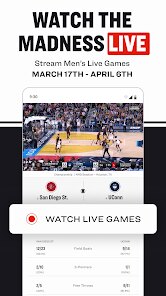
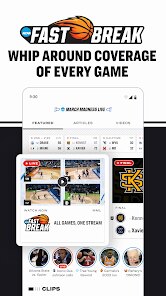
I first downloaded NCAA March Madness Live a few years ago during the tournament, purely out of desperation when I couldn't get to a TV. It's a sports streaming app, essentially the official way to watch the annual college basketball tournament on your phone. You use it to follow live games, check scores, watch highlights, and track your bracket predictions. It's free to download from the Google Play and App Store, and hundreds of thousands of people have grabbed it over the years. The first impression after launching it is that it's clearly built for speed—there's no fluff, just a massive schedule grid and a big red 'Watch' button for whatever game is on. You can tell right away this thing is meant to handle the chaos of up to four games happening simultaneously.
Actually using the app during the first week of the tournament feels a bit like operating a command center. You open it, pick your game from the list, and within a couple seconds the stream starts playing. The video quality depends heavily on your connection—it looks great on Wi-Fi but gets grainy on 4G in a crowded bar. One thing that threw me off at first was that you have to sign in with a cable provider or a TV subscription to watch full games. That's a real pain if you're trying to cut cords. For games that aren't on major networks, sometimes you get a free stream, but it's limited. The interface itself is pretty straightforward: you swipe between live games, tap to switch audio feeds, and the score ticker stays pinned at the top. A nice little touch is the 'Gamecast' view that gives you play-by-play text if you're somewhere too loud for video.
After grinding through Sweet Sixteen weekend with it, I'd say this app is perfect for die-hard fans who are constantly moving during March. If you're someone who needs to watch every buzzer-beater while stuck in an airport or at work, you'll appreciate having it. But for casual viewers who just check scores once a day, it's overkill—the free content is thin, and the login requirement is frustrating. Compared to something like the ESPN app, NCAA March Madness Live feels more laser-focused but also more limited outside tournament season. I ended up keeping it installed because it's straight to the point when the tournament is on, but once April hits, it just sits there until next year. It does one thing well, but that one thing is all you need for three weeks.
features
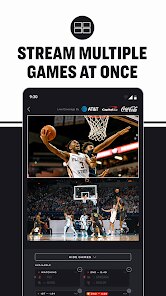
- 🎥 Live multiview streaming: The app lets you watch up to four games at once on a tablet or phone, which is a game-changer during the first Thursday. You can tap between windows or let the app switch to the most exciting moment. CBS Sports app tries this too, but it's clunkier and often crashes when you load a fourth stream. NCAA's version handles the switching more smoothly, and it doesn't drain your battery as fast.
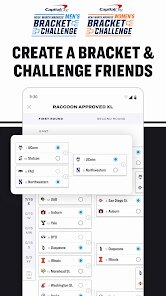
- 📊 Real-time bracket sync: Your bracket from the official tournament site updates live inside the app, so you can see your picks crumbling instantly. It highlights which games are affecting your bracket specifically. ESPN's app syncs your bracket too, but it buries it under layers of articles and betting odds. Here, it's front and center, right next to the live scores.
- 🔊 Custom audio feeds: You can choose between the standard TV broadcast, a stadium crowd-only track, or a team-specific radio call. This is weirdly satisfying during blowout games when you just want arena noise. The other major sports apps don't offer this kind of flexibility—Fox Sports and TBS just give you one audio option.
pros
- ⚡ Stream stability during peak hours: Even during the first Friday, when millions of people are trying to watch at once, the streams rarely buffer or drop out. Compare that to the CBS Sports app, which I've seen freeze completely during a double-overtime game. NCAA's backend handles load better, probably because they prioritize bandwidth for live events over replays or ads.
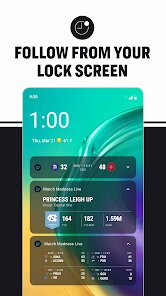
- 🔔 Smart notifications for close games: You can set alerts for 'when a game is within 5 points with under 2 minutes left.' This is perfect if you're watching one game but want to be tapped for another thriller. Yahoo Sports sends generic score updates that annoy you, but these are actually useful and sparse.
- 🔄 Seamless device switching: You can start watching on your phone, then pick up your tablet and the stream continues where you left off without logging in again. The Fox Sports app makes you re-authenticate every time you switch devices, which drives me crazy during a bathroom break.
cons
- 📺 Mandatory TV login for full access: Unless you have a cable or satellite subscription that costs $80 a month, you can only watch a handful of free games per day. That's a huge letdown in 2025. YouTube TV and Sling at least offer standalone plans for sports, but this app demands an existing provider. It locks out cord-cutters completely.
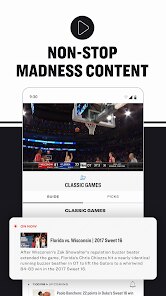
- 📅 Seasonal obsolescence: After the championship game in early April, the app becomes a ghost town. There's no offseason content, no highlights archive, no news feed. The ESPN app stays useful year-round with daily shows and analysis, but this one is a one-trick pony. I always forget to delete it until next March.
- 🖥️ No Chromecast or AirPlay support: You can't cast the stream to your TV directly from the app. You have to use a cable or a separate casting app, which feels archaic. The Bleacher Report app supports casting natively, making it easier to watch on a big screen without extra steps.
- 📱 Overly aggressive background audio pausing: If you accidentally swipe to a different app, the stream immediately pauses. If you want to just listen while texting, you're out of luck. The Twitch app lets you keep audio playing in the background, but this one treats it like a video call that must have your full attention.
Recommended Apps
![]()
Phone Tracker - Phone Locator
Lutech Ltd4.1
![]()
Cartoon Photo Editor
AZ Mobile Software4.5
![]()
Speak to Santa™ - Video Call
North Pole Command Centre Limited4.4![]()
Gay Dating & LGBT Hookup App
Hookup Apps to Hook up Local Dating4.5![]()
Wonder - AI Art Generator
Codeway Dijital3.7![]()
Shazam: Find Music & Concerts
Apple Inc.4.8![]()
Lightroom Photo & Video Editor
Adobe4.5![]()
Crush Love Tester
A.L Studio3.7![]()
Daily Horoscope
Horoscope by Comitic4.8![]()
Kissing Test Calculator
We Love pranks3![]()
Filters for pictures - FaceArt
VysionApps2.8![]()
Pinterest
Pinterest4.5![]()
QR Code Reader Barcode Scanner
Celebrity App Studio3.9![]()
PicSo – Customize Your AI Girl
Meta Insight3.7![]()
Does He Like Me?
KDR Games4.3















Disclaimer
1.AppInfoLibrary does not represent any developer, nor is it the developer of any App or game.
2.AppInfoLibrary provide custom reviews of Apps written by our own reviewers, and detailed information of these Apps, such as developer contacts, ratings and screenshots.
3.All trademarks, registered trademarks, product names and company names or logos appearing on the site are the property of their respective owners.
4. AppInfoLibrary abides by the federal Digital Millennium Copyright Act (DMCA) by responding to notices of alleged infringement that complies with the DMCA and other applicable laws.
5.If you are the owner or copyright representative and want to delete your information, please contact us info@appinfolibrary.com.
6.All the information on this website is strictly observed all the terms and conditions of Google Ads Advertising policies and Google Unwanted Software policy .