
Bug Filter: Funny Prank App

Installs
HKL Game Studio
Developer
-
Entertainment
Category
-
Everyone
Content Rating
-
tapkichteam@gmail.com
Developer Email
-
https://sites.google.com/view/pp-bug-filter/home
Privacy Policy
Screenshots
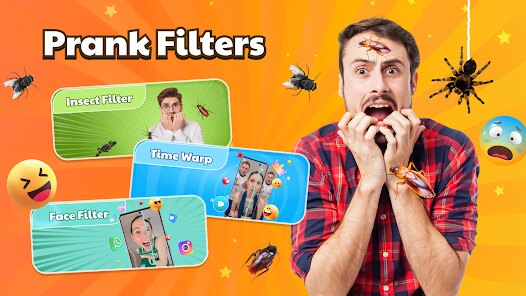

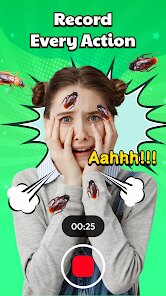
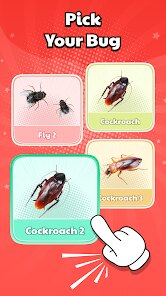


editor reviews
Bug Filter is a goofy simulation app from HKL Game Studio that tricks your phone into thinking you've got a software glitch. It's basically a prank tool, not a utility or a game in the traditional sense, designed mainly to mess with friends or family by showing fake system errors. You can download it for free on Google Play and the App Store, and after a quick install, the first thing you notice when you launch it is how convincing the fake interface looks. It mimics real Android or iOS error pop-ups so well that even tech-savvy people might do a double-take. There's no registration needed, and while there are some in-app purchases for extra prank packs, ads are pretty sparse and don't ruin the fun.
Once you're inside, the experience is straightforward but clever. You pick a prank scenario, like a fake “FRP Lock” or a simulated “Battery Explosion,” and then hand the phone to your victim. The screen shows a persistent error message that doesn't go away when tapped, which honestly feels a bit too real if you've ever dealt with an actual buggy phone. The onboarding is simple—just a few taps and you're ready—but sometimes navigating between prank categories feels a little clunky, and the app could use a smoother flow. A small tip: test the prank on yourself first to see how long the fake error lasts, because some of them auto-close faster than you'd expect.
After using it on a few friends, I think its charm depends heavily on your social circle. If you like harmless practical jokes, this app is a blast, especially at parties or to prank less tech-literate relatives. But if you're looking for something more sophisticated or multiplayer-based, you might get bored quickly. Compared to similar prank apps like “Prank Master” or “Fake Call,” Bug Filter focuses more on mimicking system-level bugs rather than social scenarios, which makes it feel more niche. I ended up keeping it installed because it's a fun icebreaker, but I can see many people uninstalling it after they've used the same pranks once or twice.
features
- 😈 Fake error variety: Bug Filter offers over 20 different system bug simulations, from a fake system update to a simulated screen crack. In comparison, “Prank Master” has fewer error-based pranks and focuses more on phone calls and sounds, so Bug Filter feels more immersive if you want that “oh no my phone is broken” reaction.
- 😈 Realistic visual design: The fake error messages look nearly identical to real Android and iOS pop-ups, down to the font and button placement. Other apps like “Hoax” often use cartoonish or simplified graphics, which can break the illusion right away.
- 😈 No subscription needed: You don't have to sign up or pay a monthly fee to unlock the core pranks. Some similar apps hide their best options behind a paywall or require an account, but Bug Filter keeps the basics free and only charges for extra themes.
pros
- ✨ Easy to use: You can set up a prank in under 10 seconds, which beats apps like “Prank Call” that need more steps or network access. This simplicity makes it great for quick jokes.
- ✨ Works offline: No Wi-Fi or mobile data is needed once the app is installed. Compared to “Fake Call” type apps that often require a connection for sound packs, this is a major plus for using it in remote spots.
- ✨ Kid-friendly humor: The pranks are all harmless and won't actually damage the phone. Unlike some prank apps that include creepy or loud jump scares, Bug Filter stays lighthearted and safe for younger users.
cons
- ⚠️ Limited replay value: After you try each prank once, there's not much reason to come back. Apps like “Prank Master” update regularly with new content, but Bug Filter rarely adds fresh material, so it feels stale quickly.
- ⚠️ No undo feature: If you accidentally start a prank, you have to force-close the app or wait for it to time out. That's annoying compared to “Hoax,” which includes a quick exit button for the prankster.
- ⚠️ Not very social: You can't share prank results or compete with friends inside the app. Similar apps sometimes have leaderboards or sharing options, but Bug Filter is purely a one-trick pony in that regard.
Recommended Apps
![]()
Phone Tracker - Phone Locator
Lutech Ltd4.1
![]()
Cartoon Photo Editor
AZ Mobile Software4.5
![]()
Speak to Santa™ - Video Call
North Pole Command Centre Limited4.4![]()
Gay Dating & LGBT Hookup App
Hookup Apps to Hook up Local Dating4.5![]()
Wonder - AI Art Generator
Codeway Dijital3.7![]()
Shazam: Find Music & Concerts
Apple Inc.4.8![]()
Lightroom Photo & Video Editor
Adobe4.5![]()
Crush Love Tester
A.L Studio3.7![]()
Daily Horoscope
Horoscope by Comitic4.8![]()
Kissing Test Calculator
We Love pranks3![]()
Filters for pictures - FaceArt
VysionApps2.8![]()
Pinterest
Pinterest4.5![]()
QR Code Reader Barcode Scanner
Celebrity App Studio3.9![]()
PicSo – Customize Your AI Girl
Meta Insight3.7![]()
Does He Like Me?
KDR Games4.3















Disclaimer
1.AppInfoLibrary does not represent any developer, nor is it the developer of any App or game.
2.AppInfoLibrary provide custom reviews of Apps written by our own reviewers, and detailed information of these Apps, such as developer contacts, ratings and screenshots.
3.All trademarks, registered trademarks, product names and company names or logos appearing on the site are the property of their respective owners.
4. AppInfoLibrary abides by the federal Digital Millennium Copyright Act (DMCA) by responding to notices of alleged infringement that complies with the DMCA and other applicable laws.
5.If you are the owner or copyright representative and want to delete your information, please contact us info@appinfolibrary.com.
6.All the information on this website is strictly observed all the terms and conditions of Google Ads Advertising policies and Google Unwanted Software policy .