Cloud Backup : Cloud Storage

100K+
Installs
MAPIDIRECTIONS STUDIOS
Developer
-
Productivity
Category
-
Everyone
Content Rating
-
cybertechappsfeedback@gmail.com
Developer Email
-
https://sites.google.com/view/cloudbackupcloudstorageapp/privacypolicy
Privacy Policy
Screenshots
editor reviews
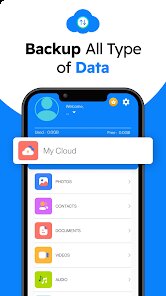
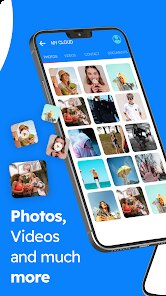
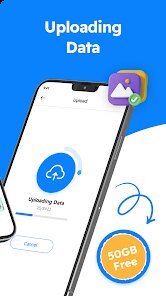
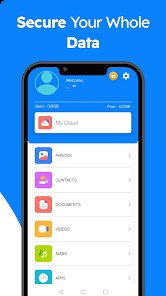
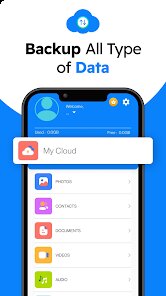
Cloud Backup, developed by MAPIDIRECTIONS STUDIOS, is a utility app available on the Google Play Store that focuses on securely storing your personal data. I came across it while searching for a straightforward way to back up my contacts, call logs, SMS messages, and photos without using a subscription-heavy service. After downloading it (it's free to install, though it does have ads and in-app purchases for premium features), my first impression was that the interface looked a bit dated, like something from a few Android versions ago. Still, the clean initial screen showed exactly what it could back up, which felt reassuring for a quick setup.
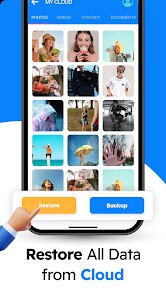
Once I launched the app and granted the necessary permissions, the onboarding was minimal — just a few taps to set up a PIN or pattern lock. The main dashboard lists data types, and you simply tick what you want to protect. I started with contacts and call logs. The backup process took under a minute, and the app saved everything as a compressed file. One minor hiccup was that the automatic backup feature required the premium version, so I had to manually trigger it every few days. I also liked that you can restore specific items individually, not just everything at once, which saved me from cluttering my phone with old pictures.
After using it for a couple of weeks, I'd say this app is perfect for someone who wants a fuss-free way to protect basic phone data without diving into complex cloud setups like Google Drive or OneDrive. But if you need cross-platform sync or backup for entire app data, you might feel limited. It feels reliable for what it promises, though the ads after each backup are a bit annoying. I ended up keeping it installed because it's lightweight and does the job quickly, but I could see more advanced users uninstalling it in favor of something like Super Backup & Restore.
features
- 📁 One-tap backups: Cloud Backup makes it dead simple to back up contacts, call logs, SMS, and photos with a single button. In contrast, Google Drive requires you to manually select files or enable syncing per folder, which feels clunkier for quick saves.
- 🔒 Individual restore: You can choose to restore only certain items, like call logs without touching your photos. This is more flexible than the monolithic restore options on some backup apps, like Titanium Backup.
- 🧩 No account needed: The app works offline by saving backups locally, so you don't have to log into a Google account or worry about cloud space. Meanwhile, many rivals like Dropbox push you to sign up before anything works.
- 🚀 Quick export: Backups are stored as standard calendar or message files, making it easy to move them to a PC or another device. This stands out against complex formats used by some apps.
pros
- 👍 Lightweight footprint: The app barely uses any storage or battery, unlike Super Backup & Restore which can feel bloated after updates.
- 👍 Straightforward interface: Everything is on one screen, so you never get lost. SMS Backup & Restore buries options in menus, which is less beginner-friendly.
- 👍 No registration required: You can back up immediately after install. Helium Backup forces you to pair with a desktop tool, which adds unnecessary steps.
- 👍 PIN protection: The built-in security lock stops snooping, a feature missing from free versions of similar tools like App Backup & Restore.
cons
- 👎 No cloud sync option: Backups only save to your device's internal storage or SD card. Google Drive and OneDrive let you automatically sync to the cloud, which is far safer against phone loss.
- 👎 Manual scheduling only: Without paying for the premium version, you have to remember to back up yourself. Super Backup & Restore offers free automatic scheduling, so this feels stingy.
- 👎 Outdated design: The interface looks like it's from Android 6, which can feel jarring next to the clean layouts of SMS Backup & Restore.
- 👎 Ads after every action: A full-screen ad pops up after each backup or restore, which gets irritating fast. Similar free apps like Contacts Backup show fewer ads.
Recommended Apps
![]()
Sider AI: All-in-One Companion
Vidline Inc.4.9

![]()
MyHeritage: Family Tree & DNA
MyHeritage.com4.3![]()
Love Frame - Romantic Couple P
ClickLab Technology4.1![]()
Future Self - Old Age Filter
Vidler Koiter1.6![]()
Pencil Sketch
Dumpling Sandwich Software Inc.4.7![]()
Volume Control Sound Launcher
AtomApplications4.4![]()
Hair Color Changer: Change you
Face & Body Tune Photo Editor SRL3.3![]()
Daily Horoscope
KADO Apps4.2![]()
Cute Wallpapers Cool Wallpaper
DevTeamIn20200![]()
PhotoFunia
Capsule Digital4.7![]()
PayPal - Send, Shop, Manage
PayPal Mobile4.3![]()
Yelp: Food, Delivery & Reviews
Yelp, Inc4.6![]()
Voice Changer - Voice Effects
Dairy App & Notes & Audio Editor & Voice Recorder4.4![]()
Planner 5D: Home Design, Decor
Planner 5D3.8![]()
Fingerprint Scanner Personalit
Zabirko4.3















Disclaimer
1.AppInfoLibrary does not represent any developer, nor is it the developer of any App or game.
2.AppInfoLibrary provide custom reviews of Apps written by our own reviewers, and detailed information of these Apps, such as developer contacts, ratings and screenshots.
3.All trademarks, registered trademarks, product names and company names or logos appearing on the site are the property of their respective owners.
4. AppInfoLibrary abides by the federal Digital Millennium Copyright Act (DMCA) by responding to notices of alleged infringement that complies with the DMCA and other applicable laws.
5.If you are the owner or copyright representative and want to delete your information, please contact us info@appinfolibrary.com.
6.All the information on this website is strictly observed all the terms and conditions of Google Ads Advertising policies and Google Unwanted Software policy .