
Fingerprint Scan

10K+
Installs
T-Bridge Technologies
Developer
-
Entertainment
Category
-
Everyone
Content Rating
-
+255752514638
Developer Email
-
https://fingerscan.co.tz/privacy-policy
Privacy Policy
Screenshots
editor reviews
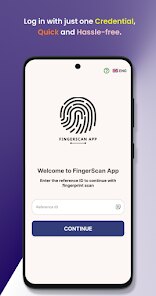
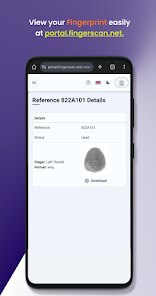
Fingerprint Scan by T-Bridge Technologies is a utility app that uses your phone's camera, not a dedicated sensor, to capture high-resolution images of your fingerprints. On the surface, it sounds like a security tool, but after downloading and launching it from Google Play, you quickly realize it's more for study, hobbyist projects, or fun—like comparing prints with friends. The install count is modest, but it downloads fast and works without registration, which caught my attention. The first screen is simple and straightforward, showing just a lens icon and a guide overlay. I was surprised that there's no paywall or overwhelming ads right away; it feels more like a niche tool than a cash grab.
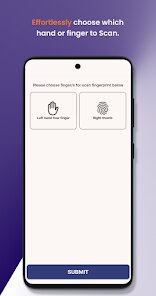
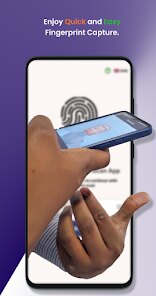
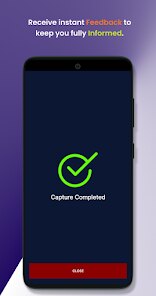
When you actually use the app, it walks you through placing your finger flat against the camera lens under good lighting. The interface shows a live preview with a dashed circle to align your print, then you tap capture. After that, the app stitches together multiple frames to create a clear image, which you can save or view later. I found the process a bit finicky—moving your finger too fast blurs the scan, and you need steady hands or a small stand. But once you get the hang of it, the app saves the scans in a gallery sorted by date. A nice tip is to clean the camera lens first; otherwise, the detail looks muddy. There's no automatic enhancement, so the quality really depends on your phone's camera resolution and lighting.
After playing with it for a few days, I see this app as a curiosity piece rather than a daily driver. People into forensics studies, biology teachers, or just anyone who loves gimmicky tech might enjoy scanning their family's fingerprints. But if you're looking for a practical biometric unlocker or a seriously secure scanner, this isn't it—it's just an image taker, not a sensor. Compared to something like the built-in scanner on a Samsung or Google Pixel, this app lacks hardware integration and real security use. I'd probably keep it installed for party tricks or school projects, but I could easily see someone uninstalling it after a week when the novelty fades.
features
- 🔍 Camera-Based Scanning: Instead of needing specialized hardware, Fingerprint Scan uses your phone's existing camera, making it accessible on any device. Unlike apps like BioID that rely on biometric SDKs, this one simply captures visual prints.
- 📸 High-Resolution Output: It claims to stitch multiple frames for a detailed fingerprint image, which can be zoomed in for analysis. That's more useful for manual comparison than the auto-recognition in tools like OneTouch Scanner.
- 🆓 Free with Minimal Restrictions: Most similar utilities hide features behind paywalls or force ads after each scan. This app lets you capture and save without nagging pop-ups, which is rare in this niche market.
pros
- 🆓 Completely Free: While apps like Fingerprint Scanner Pro or ID Scanner charge for enhanced features, this one gives you the core scanning ability at zero cost, with no hidden subscriptions.
- 📁 Straightforward Storage: You can save scans as normal image files in your gallery, unlike some rivals that lock images inside their own vault requiring exports. It's easier to share or archive.
- 📐 No Learning Curve: Competitors sometimes bury scanning modes in complex settings menus. This app has exactly one button for capture and one for gallery, so you never get lost.
cons
- 📸 Camera Quality Dependency: Unlike apps like BioID which use software integration to enhance clarity, this app just outputs exactly what your lens sees. On older or low-end phones, the result is often blurry or useless.
- ❌ No Security Features: Compared to a proper scanner like Fingerprint Security Lock, this app doesn't authenticate or lock anything—it's purely a visual capture. So you can't use it for real privacy.
- 📉 Inconsistent Results: The multi-frame stitching sometimes fails if you move even slightly, giving duplicates or ghost images. Competitors like PrintCapture have better motion compensation built in.
Recommended Apps
![]()
Phone Tracker - Phone Locator
Lutech Ltd4.1
![]()
Cartoon Photo Editor
AZ Mobile Software4.5
![]()
Speak to Santa™ - Video Call
North Pole Command Centre Limited4.4![]()
Gay Dating & LGBT Hookup App
Hookup Apps to Hook up Local Dating4.5![]()
Wonder - AI Art Generator
Codeway Dijital3.7![]()
Shazam: Find Music & Concerts
Apple Inc.4.8![]()
Lightroom Photo & Video Editor
Adobe4.5![]()
Crush Love Tester
A.L Studio3.7![]()
Daily Horoscope
Horoscope by Comitic4.8![]()
Kissing Test Calculator
We Love pranks3![]()
Filters for pictures - FaceArt
VysionApps2.8![]()
Pinterest
Pinterest4.5![]()
QR Code Reader Barcode Scanner
Celebrity App Studio3.9![]()
PicSo – Customize Your AI Girl
Meta Insight3.7![]()
Does He Like Me?
KDR Games4.3















Disclaimer
1.AppInfoLibrary does not represent any developer, nor is it the developer of any App or game.
2.AppInfoLibrary provide custom reviews of Apps written by our own reviewers, and detailed information of these Apps, such as developer contacts, ratings and screenshots.
3.All trademarks, registered trademarks, product names and company names or logos appearing on the site are the property of their respective owners.
4. AppInfoLibrary abides by the federal Digital Millennium Copyright Act (DMCA) by responding to notices of alleged infringement that complies with the DMCA and other applicable laws.
5.If you are the owner or copyright representative and want to delete your information, please contact us info@appinfolibrary.com.
6.All the information on this website is strictly observed all the terms and conditions of Google Ads Advertising policies and Google Unwanted Software policy .