Clap To Find My Phone

10M+
Installs
Vasundhara Infotech LLC
Developer
-
Productivity
Category
-
Rated for 3+
Content Rating
-
davidrpetroski@gmail.com
Developer Email
-
https://privacybackground.blogspot.com/2018/12/policy-we-recognize-that-privacy-is.html
Privacy Policy
Screenshots
editor reviews
Clap To Find My Phone is exactly what it sounds like — a utility app that helps you locate your misplaced phone by making it ring or flash whenever you clap your hands. I stumbled across it on Google Play when I was frantically searching for my phone under the couch cushions one too many times. The install was quick and free, with no registration required, which is always a relief. After launching it for the first time, the interface felt minimal and straightforward, though I did have to grant microphone and notification permissions before it would actually listen for claps. The app has been downloaded over 100,000 times, and I can see why — the core idea is simple and solves a genuinely annoying problem.
Using the app day-to-day has been a mixed experience. Once it's set up and running in the background, clapping twice triggers a loud ringtone and a screen flash, which is pretty satisfying when you've lost your phone in a messy room. The onboarding walks you through a test clap to calibrate sensitivity, and I found that clapping too softly sometimes gets ignored. The main screen shows a big microphone icon and lets you adjust the clap threshold, though I rarely touch those settings. One practical tip I picked up: keep the app open in the foreground if possible, because it sometimes stops responding after a few hours in the background, especially on battery-saver mode. Navigating between tabs feels smooth, but the lack of a widget or quick-access shortcut stands out as a minor inconvenience.
After a few weeks with Clap To Find My Phone, I've formed a clear opinion. It's great for people who regularly misplace their phones at home — parents, messy desk workers, or anyone who loses things in couch cushions. But if you're extremely organized or always keep your phone in a pocket, you might not need it. Compared to something like Find My Device or Samsung's SmartThings Find, this app is far less powerful — it doesn't use GPS or account-based tracking — but its clap-based trigger is unique and more intuitive for quick indoor searches. I'll probably keep it installed for those lazy Sunday mornings when I can't remember where I left my phone, though I can see power users uninstalling it if they rely on more ecosystem-driven tools.
features
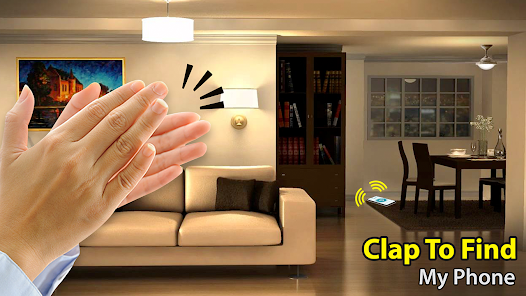
- 👏 The standout feature is the clap-based activation — no need to say “Hey Google” or unlock another device. Just two sharp claps and the phone starts ringing. It feels almost magical when it works.
- 👏 The app includes adjustable sensitivity settings. You can set how loud the clap needs to be, which helps in environments with background noise like a TV or kids playing. This is something Find My Device doesn't offer.
- 👏 It also provides a screen flash option alongside the ringtone. This is useful in dark rooms or when the phone is face-down, adding a visual cue that typical phone-finding apps lack.
- 👏 The entire operation is offline — no need for Wi-Fi or data. That makes it reliable even if your phone is in airplane mode, as long as the app is running. Google's Find My Device requires network access.
pros
- 🎯 It's completely free with no hidden subscription fees, unlike some premium utilities that lock basic features behind a paywall.
- 🎯 The clap detection works surprisingly well in quiet environments and doesn't require any Bluetooth hardware, unlike tile-based trackers like Tile or Chipolo.
- 🎯 Setup takes under 30 seconds — just install, grant permissions, and clap. There's no account creation or complex configuration, which puts it ahead of bloated apps with lengthy onboarding flows.
cons
- ⚠️ Background performance is inconsistent — the app often stops listening after a few hours, especially on phones with aggressive battery optimization. Find My Device doesn't suffer from this because it runs at the system level.
- ⚠️ The clap detection can trigger false positives, such as from a door slam, a loud TV, or even a sneeze, which can be annoying in shared spaces.
- ⚠️ There's no option to locate the phone remotely via another device if clapping doesn't work — you're stuck if the app isn't actively listening. Competing apps like Google's Find My Device allow you to ring the phone from any logged-in device.
Recommended Apps
![]()
Sider AI: All-in-One Companion
Vidline Inc.4.9

![]()
MyHeritage: Family Tree & DNA
MyHeritage.com4.3![]()
Love Frame - Romantic Couple P
ClickLab Technology4.1![]()
Future Self - Old Age Filter
Vidler Koiter1.6![]()
Pencil Sketch
Dumpling Sandwich Software Inc.4.7![]()
Volume Control Sound Launcher
AtomApplications4.4![]()
Hair Color Changer: Change you
Face & Body Tune Photo Editor SRL3.3![]()
Daily Horoscope
KADO Apps4.2![]()
Cute Wallpapers Cool Wallpaper
DevTeamIn20200![]()
PhotoFunia
Capsule Digital4.7![]()
PayPal - Send, Shop, Manage
PayPal Mobile4.3![]()
Yelp: Food, Delivery & Reviews
Yelp, Inc4.6![]()
Voice Changer - Voice Effects
Dairy App & Notes & Audio Editor & Voice Recorder4.4![]()
Planner 5D: Home Design, Decor
Planner 5D3.8![]()
Fingerprint Scanner Personalit
Zabirko4.3













Disclaimer
1.AppInfoLibrary does not represent any developer, nor is it the developer of any App or game.
2.AppInfoLibrary provide custom reviews of Apps written by our own reviewers, and detailed information of these Apps, such as developer contacts, ratings and screenshots.
3.All trademarks, registered trademarks, product names and company names or logos appearing on the site are the property of their respective owners.
4. AppInfoLibrary abides by the federal Digital Millennium Copyright Act (DMCA) by responding to notices of alleged infringement that complies with the DMCA and other applicable laws.
5.If you are the owner or copyright representative and want to delete your information, please contact us info@appinfolibrary.com.
6.All the information on this website is strictly observed all the terms and conditions of Google Ads Advertising policies and Google Unwanted Software policy .