
Facetune AI Photo/Video Editor

50M+
Installs
Lightricks Ltd.
Developer
-
Video Players & Editors
Category
-
Rated for 3+
Content Rating
-
facetune2.android.support@lightricks.com
Developer Email
-
https://static.lightricks.com/legal/privacy-policy.html
Privacy Policy
Screenshots
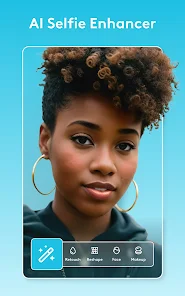
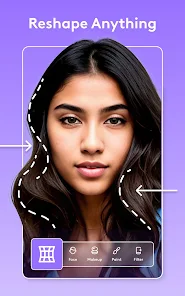
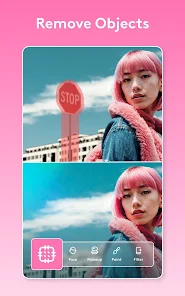
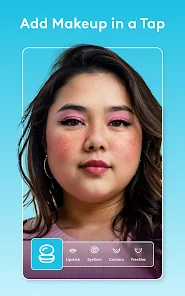
editor reviews
I first stumbled upon Facetune when a friend used it to fix a group photo where someone blinked. It's a photo and video editing app made by Lightricks, the same team behind popular tools like Enlight. You mainly use it to retouch portraits — smoothing skin, changing facial features, whitening teeth, and even editing body shapes in a few taps. After I downloaded it from the App Store and launched it, the first impression was actually pretty overwhelming. There's a ton of options right on the home screen — touch-ups, a retouch tool, eraser, and even AI-powered backgrounds. It's free to download, but almost everything decent sits behind a paywall. The app has millions of installs, and you can tell from the polished interface why it's so popular. But honestly, I felt a bit lost at first because there's no simple tutorial or guided walkthrough for new users.
Once you pick a photo from your camera roll, the editing screen opens up with most tools along the bottom. The main actions are pretty straightforward: you tap the feature you want, like "Smooth" for skin, and then brush over the area. It works in real time, which is satisfying. For everyday use, I'd probably start with the "Reshape" tool to slim a bit here or there, then jump to "Teeth" to brighten a smile. The AI background swap is neat but hit or miss — sometimes it cuts out hair weirdly. A practical tip: use the "Eraser" to fix areas where the brush went too far, like over your jawline. The interface feels smooth, but loading filters or advanced edits can lag a bit on older phones. The onboarding is pretty much nonexistent, so you're left poking around to figure out where everything hides.
After using Facetune for a few weeks, I think it shines if you love posting polished selfies or profile pictures. If you casually swipe on photos in native camera app editing, you probably don't need it. What sets it apart from something like YouCam Perfect or Adobe Photoshop Express is the focus on facial retouching — it feels more like a digital plastic surgery kit than a general editor. I keep it installed for those rare times I need a “quick fix,” like removing a zit before a work headshot. But honestly, for daily photo tweaks, I find myself using Snapseed or even the iPhone's built-in tools. The subscription price makes it hard to recommend for occasional use. Overall, it's a solid tool for specific needs, but not essential for everyone.
features
- 🎨 Its standout feature is the "Nose Reshape" tool, which lets you narrow or lift your nose with a simple slider. In YouCam Perfect, you get basic body reshaping, but Facetune pinpoints facial landmarks precisely, so changes look natural, not stretched.
- 🖌️ The "Face" tool allows individual adjustments to eyes, chin, and smile in real time. Competitors like AirBrush offer similar sliders, but Facetune's AI maps your face more accurately, avoiding the “plastic” effect.
- 📷 "Relight" lets you change lighting direction and shadows on a portrait after the fact. VSCO has lighting presets, but it can't selectively re-light just your face without affecting the background, which Facetune manages smoothly.
pros
- 👍 The skin smoothing is remarkably natural — it doesn't blur edges like Meitu often does. You can adjust intensity finely without losing texture like pores or freckles.
- 👍 The "Teeth Whitening" tool is dead simple: tap once, and it brightens only teeth, not the whole smile area. Other apps like Adobe Photoshop Express require manual masks.
- 👍 The "Makeup" feature lets you add virtual lipstick or eyeliner that follows your face as you move. YouCam Perfect also offers this, but Facetune blends into the skin more realistically.
cons
- 👎 The subscription is expensive compared to a one-time purchase like in TouchRetouch. You pay monthly or yearly, and even then, some tools like "Background" are locked behind the pricier "Pro" tier.
- 👎 The app is quite heavy and drains battery faster than lighter editors like Snapseed. Loading high-res photos can take up noticeable storage space.
- 👎 The free version is extremely limited — you can only use a few basic retouches before hitting a paywall. Apps like BeautyPlus offer more free features without constant prompts to upgrade.
- 👎 Face editing often exaggerates features if you're not careful — it's easy to accidentally make your eyes look alien-like. The lack of an undo history means you have to start over if you go too far.
Recommended Apps
![]()
Phone Tracker - Phone Locator
Lutech Ltd4.1
![]()
Cartoon Photo Editor
AZ Mobile Software4.5
![]()
Speak to Santa™ - Video Call
North Pole Command Centre Limited4.4![]()
Gay Dating & LGBT Hookup App
Hookup Apps to Hook up Local Dating4.5![]()
Wonder - AI Art Generator
Codeway Dijital3.7![]()
Shazam: Find Music & Concerts
Apple Inc.4.8![]()
Lightroom Photo & Video Editor
Adobe4.5![]()
Crush Love Tester
A.L Studio3.7![]()
Daily Horoscope
Horoscope by Comitic4.8![]()
Kissing Test Calculator
We Love pranks3![]()
Filters for pictures - FaceArt
VysionApps2.8![]()
Pinterest
Pinterest4.5![]()
QR Code Reader Barcode Scanner
Celebrity App Studio3.9![]()
PicSo – Customize Your AI Girl
Meta Insight3.7![]()
Does He Like Me?
KDR Games4.3















Disclaimer
1.AppInfoLibrary does not represent any developer, nor is it the developer of any App or game.
2.AppInfoLibrary provide custom reviews of Apps written by our own reviewers, and detailed information of these Apps, such as developer contacts, ratings and screenshots.
3.All trademarks, registered trademarks, product names and company names or logos appearing on the site are the property of their respective owners.
4. AppInfoLibrary abides by the federal Digital Millennium Copyright Act (DMCA) by responding to notices of alleged infringement that complies with the DMCA and other applicable laws.
5.If you are the owner or copyright representative and want to delete your information, please contact us info@appinfolibrary.com.
6.All the information on this website is strictly observed all the terms and conditions of Google Ads Advertising policies and Google Unwanted Software policy .