GPS Speedometer: Speed Tracker

100K+
Installs
SM Infotech
Developer
-
Finance
Category
-
Everyone
Content Rating
-
samadhiyala.mandal@gmail.com
Developer Email
-
http://cloudsync.xyz:8081/consent/policy/SMInfo
Privacy Policy
Screenshots
editor reviews
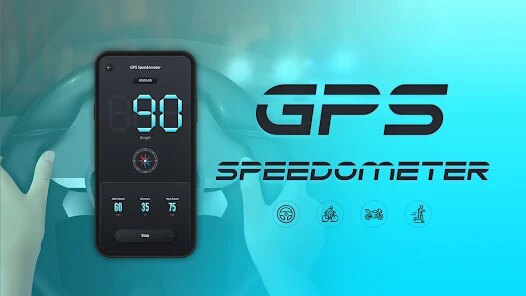
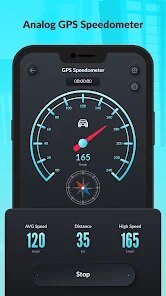
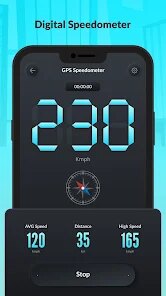
GPS Speedometer: Speed Tracker is a straightforward utility app that turns your phone into a real-time speed display. It's the kind of tool you download when you're curious about how fast you're actually moving, whether that's in a car, on a bike, or even while jogging. After downloading it from Google Play, the first impression is surprisingly clean. The app opens straight into a large, digital speed readout against a dark background, with no clutter or sign-up wall. It's free to install, though there are occasional ads and an option to remove them through a small in-app purchase. The install count seems decent, which suggests it's not some half-baked project. For a quick check of your speed without fiddling with settings, it nails that first moment of use.
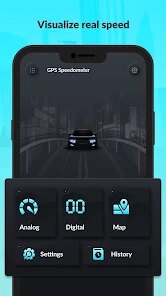
Using the app feels almost too simple at first. The interface is dominated by a speedometer dial and a numerical readout that updates smoothly as you move. There's a small menu tucked away in the corner where you can switch between units like kph and mph, or set a speed limit alert that beeps if you go over. The app asks for location permission right away, and once you grant it, the needle starts moving. It's not the sort of tool you spend much time inside. The main actions are just looking at the speed and maybe resetting a trip distance counter. I found it works best when you prop the phone on a dashboard mount. One small practical tip: if the reading seems jumpy, try turning on the GPS accuracy setting in the menu. The app runs in the background fine, but it can drain your battery after a couple of hours of continuous use.
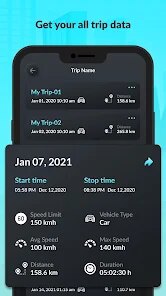
After using it for a few weeks, I think this app fits a specific niche well. It's great for someone who needs a quick speed check and doesn't want to mess with complex features. But it's not for serious navigation or tracking long trips, since it lacks maps or history logs. Compared to apps like Speedometer by NixGame, this one feels more focused on giving you a clean, uncluttered reading. What makes it different is its simplicity. You open it, you see your speed, and that's it. I keep it installed because it's handy for checking my pace when walking in a new area. But I can see someone uninstalling it if they want more data like average speed or route tracking. It's a tool, not a companion.
features
- 🚗 Real-time GPS speed tracking with a clean, large digital display. Unlike Google Maps, which shows speed as a secondary number, this app places it front and center without any map clutter.
- 🚗 Customizable speed limit alerts that beep when you exceed a set threshold. This feels more responsive than Waze's speed warnings, which sometimes lag behind sudden changes.
- 🚗 Multiple unit options like mph, kph, and knots, plus a trip odometer. This beats the basic speed readout in MapMyRide, which doesn't offer unit switching at all.
- 🚗 Minimal setup with no account required. You just open it and go, unlike Strava which needs a login and profile setup before you see any data.
pros
- 👍 Super lightweight app that takes up very little storage space. Compared to DigiHUD Speedometer, which bundles in lots of extra skins and themes, this one stays lean and loads instantly.
- 👍 The interface is distraction-free with a pure dark theme. This makes it easier on the eyes at night than Speedometer Pro, which has a bright and busy default look.
- 👍 Works offline after the initial GPS lock, so you're not burning mobile data. Google Maps requires data for map loading even if you just want speed.
- 👍 The speed reading updates smoothly without the stuttering you see in free versions of Ulysse Speedometer.
cons
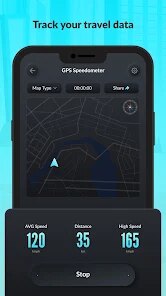
- 👎 No map or route tracking at all. If you want to see where you've been, apps like OsmAnd or Google Maps offer much more context.
- 👎 The ads can be intrusive, especially when they pop up right after you start moving. Free versions of Speedometer by NixGame handle ads less aggressively.
- 👎 Battery drain is noticeable after about an hour of use. Similar apps like SpeedView have a battery-saving mode that this one lacks.
- 👎 The speed limit alert relies on GPS speed, not road sign data. In cities with speed cameras, Waze does a better job because it uses crowd-sourced locations.
Recommended Apps
![]()
Sider AI: All-in-One Companion
Vidline Inc.4.9

![]()
MyHeritage: Family Tree & DNA
MyHeritage.com4.3![]()
Love Frame - Romantic Couple P
ClickLab Technology4.1![]()
Future Self - Old Age Filter
Vidler Koiter1.6![]()
Pencil Sketch
Dumpling Sandwich Software Inc.4.7![]()
Volume Control Sound Launcher
AtomApplications4.4![]()
Hair Color Changer: Change you
Face & Body Tune Photo Editor SRL3.3![]()
Daily Horoscope
KADO Apps4.2![]()
Cute Wallpapers Cool Wallpaper
DevTeamIn20200![]()
PhotoFunia
Capsule Digital4.7![]()
PayPal - Send, Shop, Manage
PayPal Mobile4.3![]()
Yelp: Food, Delivery & Reviews
Yelp, Inc4.6![]()
Voice Changer - Voice Effects
Dairy App & Notes & Audio Editor & Voice Recorder4.4![]()
Planner 5D: Home Design, Decor
Planner 5D3.8![]()
Fingerprint Scanner Personalit
Zabirko4.3















Disclaimer
1.AppInfoLibrary does not represent any developer, nor is it the developer of any App or game.
2.AppInfoLibrary provide custom reviews of Apps written by our own reviewers, and detailed information of these Apps, such as developer contacts, ratings and screenshots.
3.All trademarks, registered trademarks, product names and company names or logos appearing on the site are the property of their respective owners.
4. AppInfoLibrary abides by the federal Digital Millennium Copyright Act (DMCA) by responding to notices of alleged infringement that complies with the DMCA and other applicable laws.
5.If you are the owner or copyright representative and want to delete your information, please contact us info@appinfolibrary.com.
6.All the information on this website is strictly observed all the terms and conditions of Google Ads Advertising policies and Google Unwanted Software policy .