
Monster Call: Prank Video Call

1M+
Installs
TeH Software
Developer
-
Entertainment
Category
-
Teen
Content Rating
-
cuong.sdvl@gmail.com
Developer Email
-
https://sites.google.com/view/prankcallmonster/
Privacy Policy
Screenshots
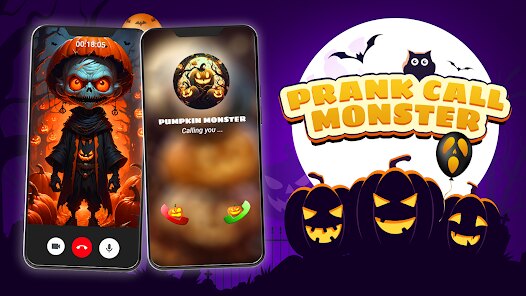
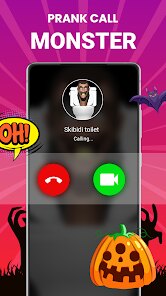
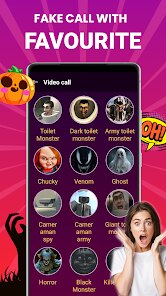
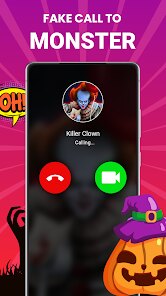

editor reviews
Monster Call is a prank call app that lets you pretend to receive a video call from a scary creature. It's one of those joke apps people grab when they want to mess with friends or family during Halloween, a sleepover, or just a boring afternoon. I came across it on Google Play with a few million downloads, and it's free to install. No sign-up required, which I liked, so I just hit download and launched it straight away. The first impression was honestly a bit rough — the main screen looks cluttered with ads and a bunch of monster options, and I had to dig around to figure out what to tap first. It doesn't feel polished, but the idea itself got me curious enough to keep poking around.
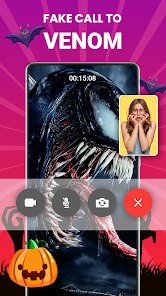
After launching, I picked a monster from the list — there's a zombie, a demon, a ghost, stuff like that. Each one triggers a fake video call that looks like it's coming through your phone's screen. The interface is kind of basic: you just choose your monster, hit a button, and the call rings. When someone answers, they see a prerecorded video of the monster moving and making noises. It's not interactive, so whatever the monster does plays out the same way each time. I tried it on my younger cousin, and she jumped a little, but after a second she noticed the looped movements. The app works fine for a one-time scare, but the animations are stiff and the audio quality is okay at best. There's also a timer feature that lets you schedule the call, which is helpful if you want to prank someone when you're not around.
After a week of testing, I'd say Monster Call is fun in short bursts but wears thin fast. It really depends on what you're after. If you want to surprise a friend once or twice, it does the job. But the videos are short and repetitive, and the ads pop up way too often — after each call, you get a full-screen ad, which kills the mood. Compared to apps like Fake Call or Prank Caller, this one leans heavier into the spooky visuals, while those apps offer more realistic fake incoming call screens. The standout part is definitely the monster designs, but they're not enough to keep it installed long-term. I could see someone uninstalling it after a few laughs, especially if they're not into horror. For me, it was a decent chuckle, but nothing I'd go back to regularly.
features
- 👻 Scary pre-recorded video calls — Each monster comes with a full-screen video that looks like a real incoming call. It's definitely creepier than what you'd get in Fake Call, which only shows a still image or text. The movement adds a layer of surprise, but the loops are short and noticeable after one watch.
- 📅 Scheduled prank timer — You can set up a call in advance and hand the phone off. This is way more flexible than other prank apps like Prank Caller, where you have to trigger everything manually. I set one for my brother during dinner, and it went off perfectly — the phone started ringing with the monster's face.
- 🎃 Variety of monster characters — There are about a dozen options, from a vampire to a clown. Some are genuinely unsettling, like the one with glowing eyes. Compare that to simple voice-only prank apps, and the visual choice here stands out. But the videos aren't updated often, so after a few uses, you've seen them all.
pros
- 😈 Free to use with no sign-up — You don't need an account, unlike some apps like Prank Dial that ask for permissions or email. That's a huge plus if you just want to download and prank someone without effort.
- 🎨 Monster designs have personality — Compared to the generic icons in Fake Call, each monster here has distinct features and animations. The zombie's groaning and slow head turn made my friend scream a little.
- ⚡ Quick setup — Picking a monster and starting a call takes maybe 10 seconds. Other apps like Prank Video Maker force you to record custom content first, which is too slow for a quick prank.
cons
- 📺 Too many ads — After each prank call, a full-screen video ad plays. It can't be skipped immediately. Prank Caller has fewer interruptions, making it feel smoother to use.
- 🔄 Limited replay value — The videos loop the same way every time. After two or three calls, you've seen all the scares. Fake Call lets you customize text or images, so it stays fresh longer.
- ❄️ Animations feel stiff — The monster movements are choppy and don't match real video call quality. Some apps like Prank Video Maker offer better video effects, even if they're harder to set up.
- 🧩 No voice interaction — The call is one-way only, so you can't talk or react. This makes it less immersive than apps that let you fake a live conversation with a recorded voice.
Recommended Apps
![]()
Phone Tracker - Phone Locator
Lutech Ltd4.1
![]()
Cartoon Photo Editor
AZ Mobile Software4.5
![]()
Speak to Santa™ - Video Call
North Pole Command Centre Limited4.4![]()
Gay Dating & LGBT Hookup App
Hookup Apps to Hook up Local Dating4.5![]()
Wonder - AI Art Generator
Codeway Dijital3.7![]()
Shazam: Find Music & Concerts
Apple Inc.4.8![]()
Lightroom Photo & Video Editor
Adobe4.5![]()
Crush Love Tester
A.L Studio3.7![]()
Daily Horoscope
Horoscope by Comitic4.8![]()
Kissing Test Calculator
We Love pranks3![]()
Filters for pictures - FaceArt
VysionApps2.8![]()
Pinterest
Pinterest4.5![]()
QR Code Reader Barcode Scanner
Celebrity App Studio3.9![]()
PicSo – Customize Your AI Girl
Meta Insight3.7![]()
Does He Like Me?
KDR Games4.3















Disclaimer
1.AppInfoLibrary does not represent any developer, nor is it the developer of any App or game.
2.AppInfoLibrary provide custom reviews of Apps written by our own reviewers, and detailed information of these Apps, such as developer contacts, ratings and screenshots.
3.All trademarks, registered trademarks, product names and company names or logos appearing on the site are the property of their respective owners.
4. AppInfoLibrary abides by the federal Digital Millennium Copyright Act (DMCA) by responding to notices of alleged infringement that complies with the DMCA and other applicable laws.
5.If you are the owner or copyright representative and want to delete your information, please contact us info@appinfolibrary.com.
6.All the information on this website is strictly observed all the terms and conditions of Google Ads Advertising policies and Google Unwanted Software policy .