Cat Language Keyboard Filter

50K+
Installs
SOKAR
Developer
-
Productivity
Category
-
Rated for 3+
Content Rating
-
khanhvangirl0921@gmail.com
Developer Email
-
http://sokar.site/privacy-policy.html?app=Cat%20Language%20Keyboard%20Filter&store=SOKAR
Privacy Policy
Screenshots
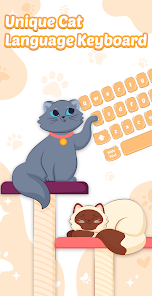
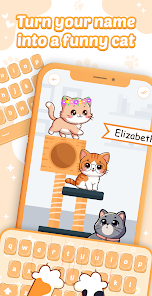
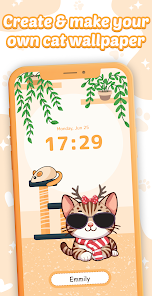
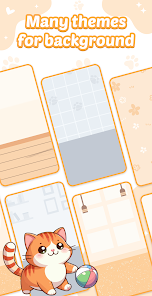
editor reviews
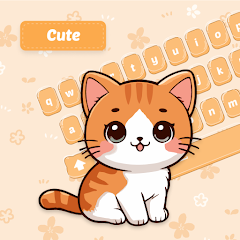
Cat Language Keyboard Filter is a quirky utility app that sits in your phone's keyboard system, letting you type out messages while replacing certain words with cat-themed alternatives or adding cat sounds and emojis automatically. It falls under the niche category of playful keyboard customizers, meant for people who want to inject a bit of feline fun into their everyday texts. After downloading it from the Google Play store—where it's free to install and sits at around 100,000 downloads—I opened it up and was hit with a very simple, slightly cartoony interface. There's no forced sign-up or registration, which was a relief, though the app does show some banner ads right away. First impression? It's cute but honestly a bit bare-bones.
Once you enable the keyboard in your phone's settings—a step that's explained with a short, clear tutorial—you start seeing how it works in practice. The main action is swapping out your regular keyboard for this cat-themed one. Typing “hello” might pop out “meow” or add a little cat emoji next to it. You can toggle different filters or dictionaries inside the app, like one that changes common phrases into cat puns or another that just adds random cat emojis after every sentence. I found the keyboard itself to be functional but not super smooth; the key press feedback felt a bit laggy compared to my default Gboard. A handy tip is to set up a shortcut so you can switch between keyboards quickly, otherwise you'll be digging through settings every time you want to send a cat-filled message. The onboarding walks you through all this, but I did get confused when I couldn't find the filter toggle at first—it's hidden in a tiny gear icon.
After using it for a few days, I'd say this app is really for people who love cats and want a laugh, not for someone looking for a serious productivity tool. You'll probably keep it installed if you enjoy surprising friends with weirdly cat-infused texts, but if you need a reliable everyday keyboard, this isn't it. Compared to something like SwiftKey or even the default Gboard, Cat Language Keyboard Filter lacks the predictive text, swipe typing, and customization options. Its only real hook is the cat-ified language, and that novelty wears off fast if you're not constantly sending memes or goofy messages. I uninstalled it after a week because the ads got annoying and the keyboard lag made regular texting feel clunky.
features
- 🐱 The app changes your words into cat sounds or phrases automatically—type “good” and it might show “purrfect” instead. This is way more specific than something like Emoji Keyboard, which just adds emojis without altering the actual words.
- 🐱 You can pick from different filter packs inside the app, like “Cat Pun” or “Kitten Mode,” each swapping out different phrases. The popular app Bitmoji doesn't offer this kind of text manipulation at all—it's all sticker-based.
- 🐱 It works across all messaging apps (WhatsApp, SMS, social media) once you set it as your default keyboard. That's a big plus over apps like Cat Sounds & Ringtones, which only works within its own interface.
- 🐱 The standout feature is the “auto-purr” toggle that inserts a random cat emoji after every sentence you type—no other keyboard I've tried does that exact thing without manual input.
pros
- 🐱 Zero learning curve—you just switch to the keyboard and start typing, unlike SwiftKey which needs you to set up themes and predictions first.
- 🐱 It's genuinely funny in a low-effort way; sending “I'm going to sleep meow” feels effortless and giggle-worthy compared to manually searching for cat stickers in Gboard.
- 🐱 The app is small and doesn't drain battery or take up much storage, unlike heavy customization apps like GO Keyboard which slow down your phone.
cons
- 🐱 The keyboard lags noticeably when typing quickly, which is a dealbreaker compared to the snappy performance of Gboard or SwiftKey.
- 🐱 Ad banners pop up even while you're typing, covering part of the suggestion bar—something you won't see in paid keyboards or ad-free alternatives like Fleksy.
- 🐱 Filter options are limited and don't update often, so after a day, you've seen every cat phrase it has, whereas apps like Bitmoji add new stickers weekly.
- 🐱 There's no offline dictionary or correction, so misspellings stay, making it less practical than standard keyboards for real conversations.
Recommended Apps
![]()
Sider AI: All-in-One Companion
Vidline Inc.4.9

![]()
MyHeritage: Family Tree & DNA
MyHeritage.com4.3![]()
Love Frame - Romantic Couple P
ClickLab Technology4.1![]()
Future Self - Old Age Filter
Vidler Koiter1.6![]()
Pencil Sketch
Dumpling Sandwich Software Inc.4.7![]()
Volume Control Sound Launcher
AtomApplications4.4![]()
Hair Color Changer: Change you
Face & Body Tune Photo Editor SRL3.3![]()
Daily Horoscope
KADO Apps4.2![]()
Cute Wallpapers Cool Wallpaper
DevTeamIn20200![]()
PhotoFunia
Capsule Digital4.7![]()
PayPal - Send, Shop, Manage
PayPal Mobile4.3![]()
Yelp: Food, Delivery & Reviews
Yelp, Inc4.6![]()
Voice Changer - Voice Effects
Dairy App & Notes & Audio Editor & Voice Recorder4.4![]()
Planner 5D: Home Design, Decor
Planner 5D3.8![]()
Fingerprint Scanner Personalit
Zabirko4.3













Disclaimer
1.AppInfoLibrary does not represent any developer, nor is it the developer of any App or game.
2.AppInfoLibrary provide custom reviews of Apps written by our own reviewers, and detailed information of these Apps, such as developer contacts, ratings and screenshots.
3.All trademarks, registered trademarks, product names and company names or logos appearing on the site are the property of their respective owners.
4. AppInfoLibrary abides by the federal Digital Millennium Copyright Act (DMCA) by responding to notices of alleged infringement that complies with the DMCA and other applicable laws.
5.If you are the owner or copyright representative and want to delete your information, please contact us info@appinfolibrary.com.
6.All the information on this website is strictly observed all the terms and conditions of Google Ads Advertising policies and Google Unwanted Software policy .