Simple Calendar - easy planner

5M+
Installs
Komorebi Inc.
Developer
-
Productivity
Category
-
Everyone
Content Rating
-
support@komorebi-studio.com
Developer Email
-
https://komorebi-studio.com/policyredirect.html
Privacy Policy
Screenshots
editor reviews
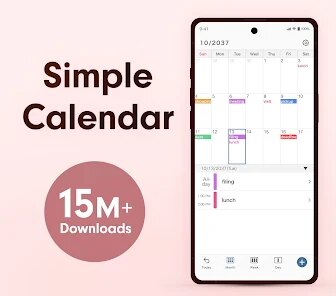
Simple Calendar is exactly what it sounds like: a straightforward digital planner app you can grab from the Google Play Store. It's designed for folks who just need a clean calendar without all the bells and whistles that bigger apps like Google Calendar or Outlook throw at you. You can mostly use it to add events, set reminders, and organize your daily schedule. When you first download and open it, the initial impression is pretty solid since there's no clutter or complex setup. It asks for basic permissions like accessing your device's calendar, and from what I've seen, it's free to install with optional in-app purchases. The install count seems decent, and I didn't notice any intrusive ads right away, which was a relief.
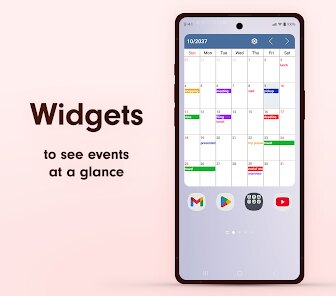
After using Simple Calendar for a bit, I got a good feel for how it works. The interface is plain and intuitive, so jumping in doesn't require a tutorial or anything. The onboarding process is minimal, maybe just a quick splash screen explaining permissions, then you're in. Adding an event is easy: you tap on a date, fill in the title and time, and save. The navigation between months is smooth, and there's a neat little widget for quick checks. I did notice that the app can stutter a little when syncing with multiple calendars, and there's no smart features like natural language input or color-coded events, which might feel basic if you're used to smarter calendars. A small tip is to use the search bar to find old events, but it's not as fast as I hoped. Overall, it's reliable for jotting down appointments or reminders without getting in your way.
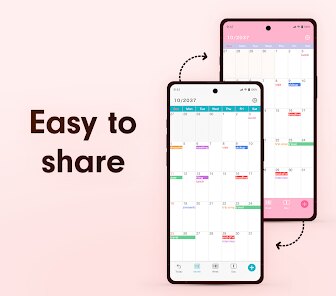
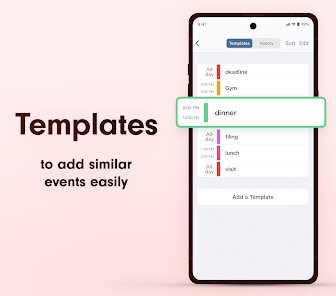
In my personal judgment, Simple Calendar is a good match for users who want to avoid feature overload. If you're someone who just needs a no-brainer app to track work meetings or personal dates, this fits nicely. On the flip side, power users who rely on integrations with Google Tasks or complex scheduling might find it too barebones. What sets it apart from similar light calendars like aCalendar or Etar is its sheer simplicity and lack of ads, but it misses out on useful touches like event templates or sharing options. I ended up keeping it installed as a backup because it's lightweight and doesn't drain battery, but I can see someone uninstalling it if they need more advanced planning tools. It's a fair trade-off: you get a calm, focused tool, but you lose out on depth.
features
- 🗓 The app has a clean, clutter-free interface that makes adding events feel quick and direct, unlike Google Calendar which often buries options under menus.
- 🗓 It includes a solid reminder system with customizable alerts that pop up reliably, something aCalendar does but with fewer distractions.
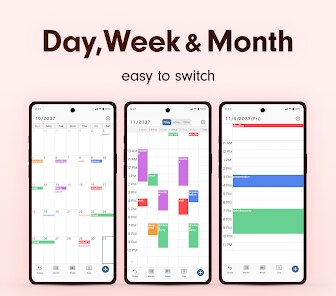
- 🗓 Simple Calendar supports easy week and month views, letting you swipe through schedules without lag, compared to Etar's occasionally jerky transitions.
- 🗓 The standout feature is its minimal design, which emphasizes core planning tasks without any of the social or email integration bloat that bogs down other apps.
pros
- ✅ Its lightweight nature means it uses almost no battery or storage, outshining heavier apps like Outlook Calendar that hog resources.
- ✅ The app loads instantly and handles multiple event entries without crashing, unlike some versions of aCalendar that can freeze under load.
- ✅ It offers a straightforward backup and restore option directly in settings, making it easier to switch phones than with Google Calendar's cloud-dependent system.
- ✅ Navigation is incredibly simple, with large buttons and readable text, which is a win over Etar's tiny icons that can be hard to tap accurately.
cons
- ❌ It lacks natural language input for creating events, so you have to type everything manually, which feels slower compared to Google Calendar's smart suggestions.
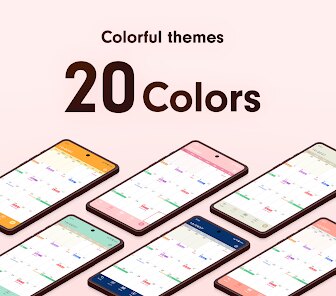
- ❌ There's no support for color-coding events or calendars, making it harder to visually separate work and personal tasks, a feature aCalendar handles well.
- ❌ The app doesn't sync with external services like Google Tasks or Trello, limiting its usefulness for those who rely on task managers, unlike Outlook Calendar's integrations.
- ❌ Occasionally, the app takes a couple of seconds to refresh after adding a new event, which can feel laggy next to Etar's instant updates.
Recommended Apps
![]()
Brainzzot Universe: Prank Call
TeH Software0
![]()
Depression Test
Inquiry Health LLC4.5
![]()
eBay online shopping & selling
eBay Mobile4.6![]()
Weather Radar & Weather Live
Avn Global Application4![]()
Amazon Alexa
Amazon Mobile LLC4.5![]()
My Name Meaning
Capital Aerrow0![]()
Parallax: 4K 3D Live Wallpaper
Nebuchadnezzar DOO4.6![]()
Testerup: Test & Earn Rewards
aestimium GmbH4.2![]()
Prank App - Funny Prank Sounds
Trusted Apps & Utilities Tools 20244.4![]()
Curso Inglés, Aprender Inglés
TomatoTB4.9![]()
Hair Clipper Prank: Fun Sounds
Braly JSC4![]()
Funny Prank: Monster Sound
Mirai Global Publishing0![]()
PrankGen - Funny Prank Sounds
DATONG FUN3.8![]()
Pixelup - AI Photo Enhancer
Codeway Dijital3.9![]()
Football Wallpaper HD 4K
Orange Infotech Studio4.6