AI Chatbot - Nova

10,000,000+
Installs
ScaleUp
Developer
-
Productivity
Category
-
Rated for 3+
Content Rating
-
support@novaapp.ai
Developer Email
-
https://chatai.co/privacy
Privacy Policy
Screenshots
editor reviews
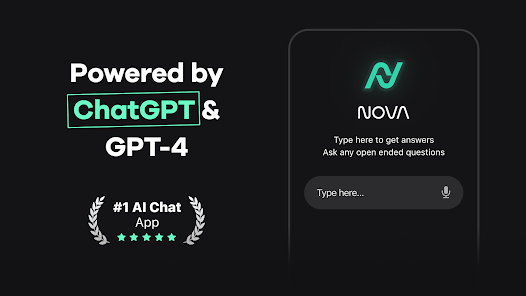
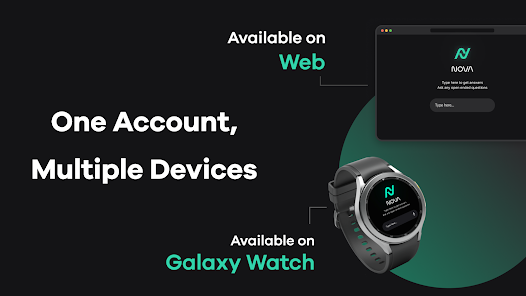
Nova is an AI chatbot app that landed on my phone after I saw it mentioned in a few tech forums. It's essentially a virtual assistant you can chat with for help with writing, brainstorming, answering questions, or just having a conversation. I downloaded it from Google Play out of curiosity—it had around a million installs at the time and was free, though I noticed it prompts you to sign up with an email before you can really do anything. After launch, the first screen is a clean, minimal chat interface with a bright blue accent. My initial thought was that it felt simple and approachable, like a blank page ready to take whatever I threw at it. There's no clutter, which made me want to test if it actually delivered on its promise.
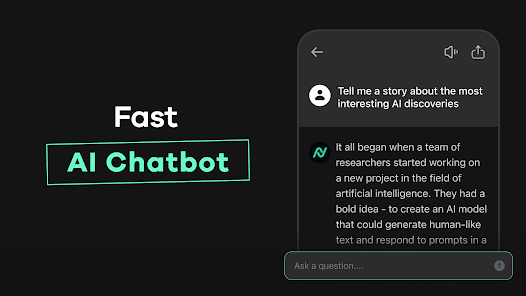
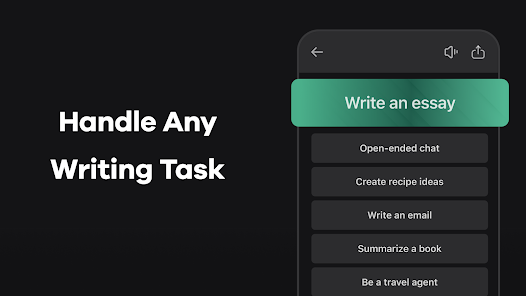
Once I started using Nova, the experience was mostly smooth. After registration, the app walks you through a short onboarding that offers a few suggested prompts like ‘Write a poem' or ‘Explain quantum physics in simple terms.' I typed in a question about how to fix a kitchen sink leak, and Nova responded with a step-by-step guide that felt well-organized, even including safety tips. The interface stays clean during use—your messages are on the right, its replies on the left, with a simple text bar at the bottom. One practical tip I picked up: you can hit the history button to revisit previous chats, which saved me from repeating myself. I did notice a slight lag after sending longer queries, and sometimes the replies were a bit robotic—like it was trying too hard to sound helpful but missing nuance. There's also a ‘favorites' option to bookmark replies, which I used for a good recipe it gave me. The in-app purchases pop up occasionally, offering advanced models or faster responses, but I never felt blocked from using the core features for free.
After spending a few weeks with Nova, I think it's a solid option for casual users who want quick answers or creative help without diving into heavy subscriptions. It reminds me a bit of ChatGPT's mobile interface but feels lighter and more focused on short tasks. Someone who needs deep technical support or offline access might find it frustrating, especially since there's no offline mode and it sometimes misinterprets complex questions. What sets Nova apart for me is its clean design and the fact that the free tier doesn't feel crippled—no daily limits, just slower responses. I'd probably keep it installed for simple tasks like drafting emails or getting fast ideas, but I've uninstalled similar apps before because they felt bloated. Nova avoids that by staying lean, though the occasional ads can be a little nagging. If you're looking for a no-fuss chatbot, this one's worth a try.
features
- 🤖 Smart Context Retention: Nova remembers parts of the conversation better than many chatbots I've tried, including the popular ChatGPT app. If I ask about ‘the recipe' an hour later, it can still connect the dots, which cuts down on repeating myself.
- ✍️ Real-Time Editing Tools: Unlike ChatGPT's simpler reply system, Nova lets me highlight a part of its response and ask for a rewrite or expansion without starting over. This makes editing drafts feel natural, like working with a collaborator.
- 📚 Built-In Source Linker: For factual questions, Nova often provides links to web sources within the chat, a feature that's rarer in similar apps like Gemini. This helps me double-check info without leaving the app.
- 🎧 Hands-Free Mode: Nova supports voice input and reads replies aloud, which is great when I'm cooking or driving. Apps like Claude lack this, so it's a standout for multitaskers.
pros
- 😊 Free Tier Feels Generous: Compared to ChatGPT or Gemini, Nova gives you longer daily free usage without hitting a paywall after a few questions. I never felt like I was being nickel-and-dimed, which keeps the experience stress-free.
- ⚡ Lightweight and Fast: The app loads quickly and doesn't drain my battery as much as Microsoft Copilot does. It's perfect for quick queries on the go without lag.
- 🎨 Ultra-Clean Design: Nova's interface is less crowded than Perplexity's, with only essential buttons showing. This makes it easier for me to focus on the conversation rather than getting lost in menus.
cons
- 🐌 Occasional Lag for Long Queries: With complex multi-part questions, Nova often takes 5-10 seconds to reply, while ChatGPT answers almost instantly. This gets annoying when I'm in a hurry.
- ❌ No Offline Mode: Unlike some note-taking apps, Nova requires an internet connection for everything. I was stuck without access during a flight, which made me consider uninstalling.
- 📏 Limited Expert Depth: When I asked for a detailed analysis of a legal document, Nova glossed over key clauses. Tools like Claude or Perplexity handle complex topics with more nuance and professionalism.
- 💸 Persistent Upsell Prompts: The free tier is decent, but pop-ups for premium plans appear frequently. It's less intrusive than some, but it still breaks my flow occasionally.
Recommended Apps
![]()
Sider AI: All-in-One Companion
Vidline Inc.4.9

![]()
MyHeritage: Family Tree & DNA
MyHeritage.com4.3![]()
Love Frame - Romantic Couple P
ClickLab Technology4.1![]()
Future Self - Old Age Filter
Vidler Koiter1.6![]()
Pencil Sketch
Dumpling Sandwich Software Inc.4.7![]()
Volume Control Sound Launcher
AtomApplications4.4![]()
Hair Color Changer: Change you
Face & Body Tune Photo Editor SRL3.3![]()
Daily Horoscope
KADO Apps4.2![]()
Cute Wallpapers Cool Wallpaper
DevTeamIn20200![]()
PhotoFunia
Capsule Digital4.7![]()
PayPal - Send, Shop, Manage
PayPal Mobile4.3![]()
Yelp: Food, Delivery & Reviews
Yelp, Inc4.6![]()
Voice Changer - Voice Effects
Dairy App & Notes & Audio Editor & Voice Recorder4.4![]()
Planner 5D: Home Design, Decor
Planner 5D3.8![]()
Fingerprint Scanner Personalit
Zabirko4.3













Disclaimer
1.AppInfoLibrary does not represent any developer, nor is it the developer of any App or game.
2.AppInfoLibrary provide custom reviews of Apps written by our own reviewers, and detailed information of these Apps, such as developer contacts, ratings and screenshots.
3.All trademarks, registered trademarks, product names and company names or logos appearing on the site are the property of their respective owners.
4. AppInfoLibrary abides by the federal Digital Millennium Copyright Act (DMCA) by responding to notices of alleged infringement that complies with the DMCA and other applicable laws.
5.If you are the owner or copyright representative and want to delete your information, please contact us info@appinfolibrary.com.
6.All the information on this website is strictly observed all the terms and conditions of Google Ads Advertising policies and Google Unwanted Software policy .